
The glass finish, with six color combinations so you can pick the one that matches your brand. And two ways in: the classic MAC address, or username and password.
Same service, same panel. What changes is how you browse and how you sign in: pick the one that fits your customers best.
Home with featured content, side menu and large detail pages. The streaming-platform look. Recommended for television screens only.
See this model → Model 2Horizontal channel grid with live preview, recordings and several playlists. Built for the remote control, and recommended for television screens only.
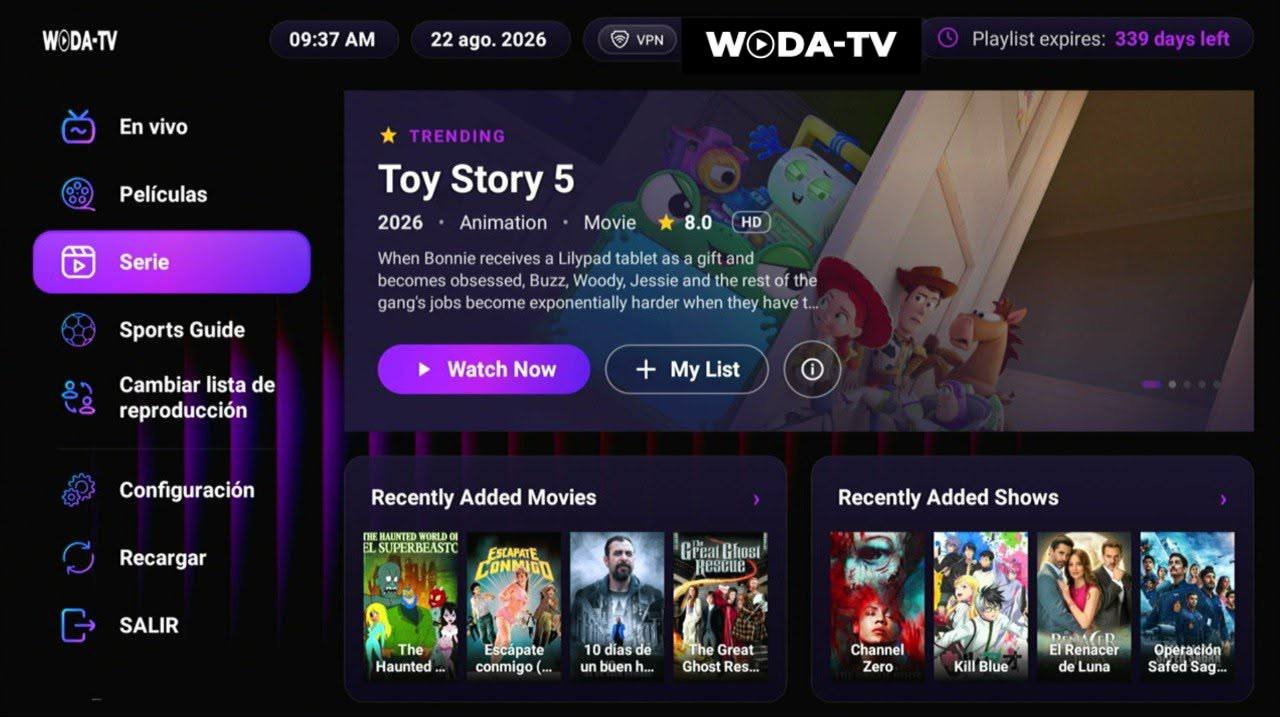
See this model →Six color themes to pick from, and login by MAC address or by username and password. With VPN, sports guide and playlist switching.
Model you are viewingThe features that make customers pick this app over the other two.
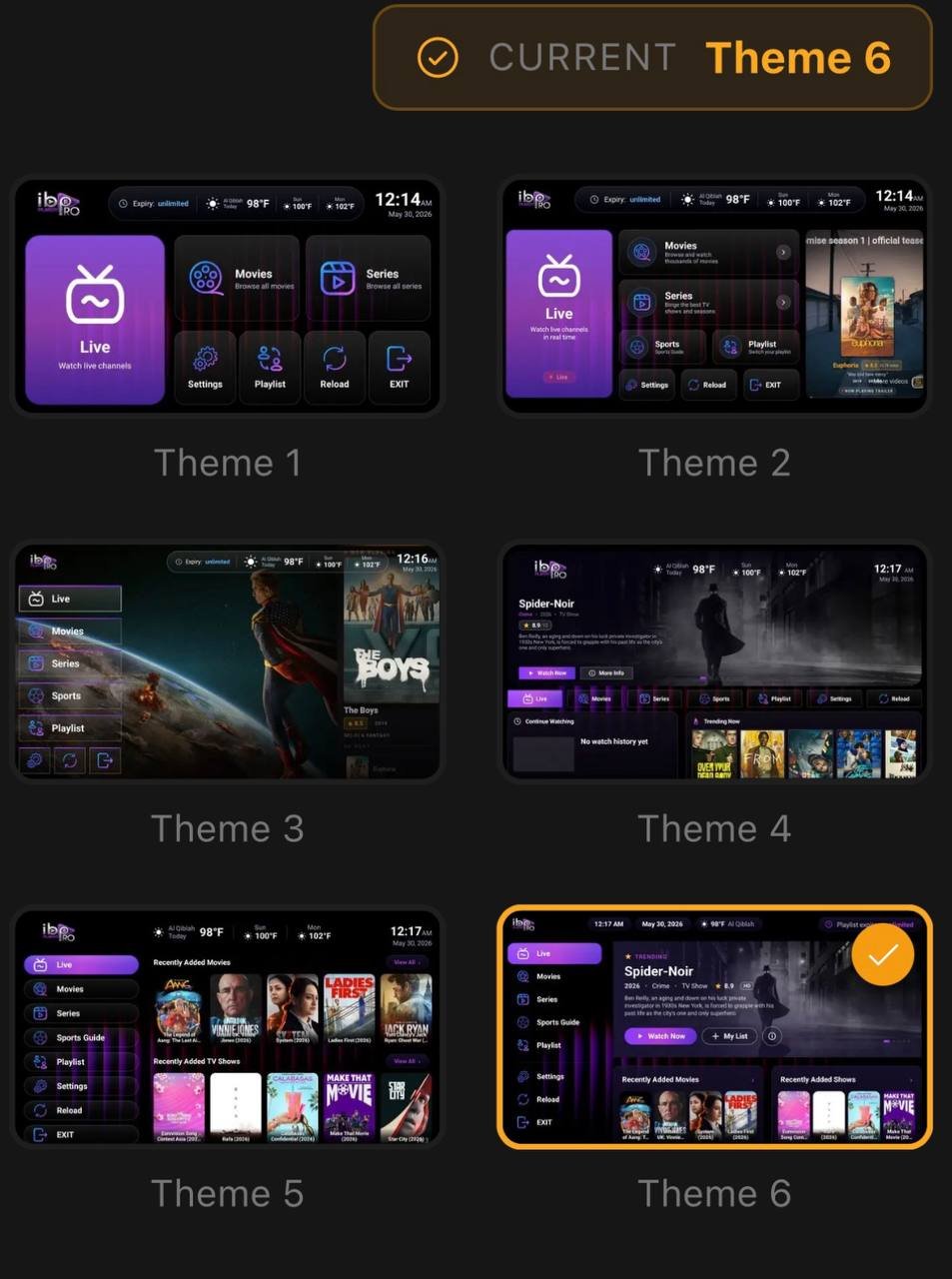
It is not one loose accent color: each theme changes the whole home screen. You look at the six, pick the one that goes with your logo, and we hand it over already set up with that one.
This is the most flexible of the three models for signing customers up. You can work the way set-top boxes always have, or with credentials, or mix the two depending on the customer.
The device shows its MAC. The customer sends it to you, you register it and they are in. No typing with the remote.
The classic way: you hand over the credentials and they sign in anywhere, without depending on one device.
A finished player, not a template. Every screen built to be read from the couch.
Channels by category with the program guide, and full-screen playback with one button.
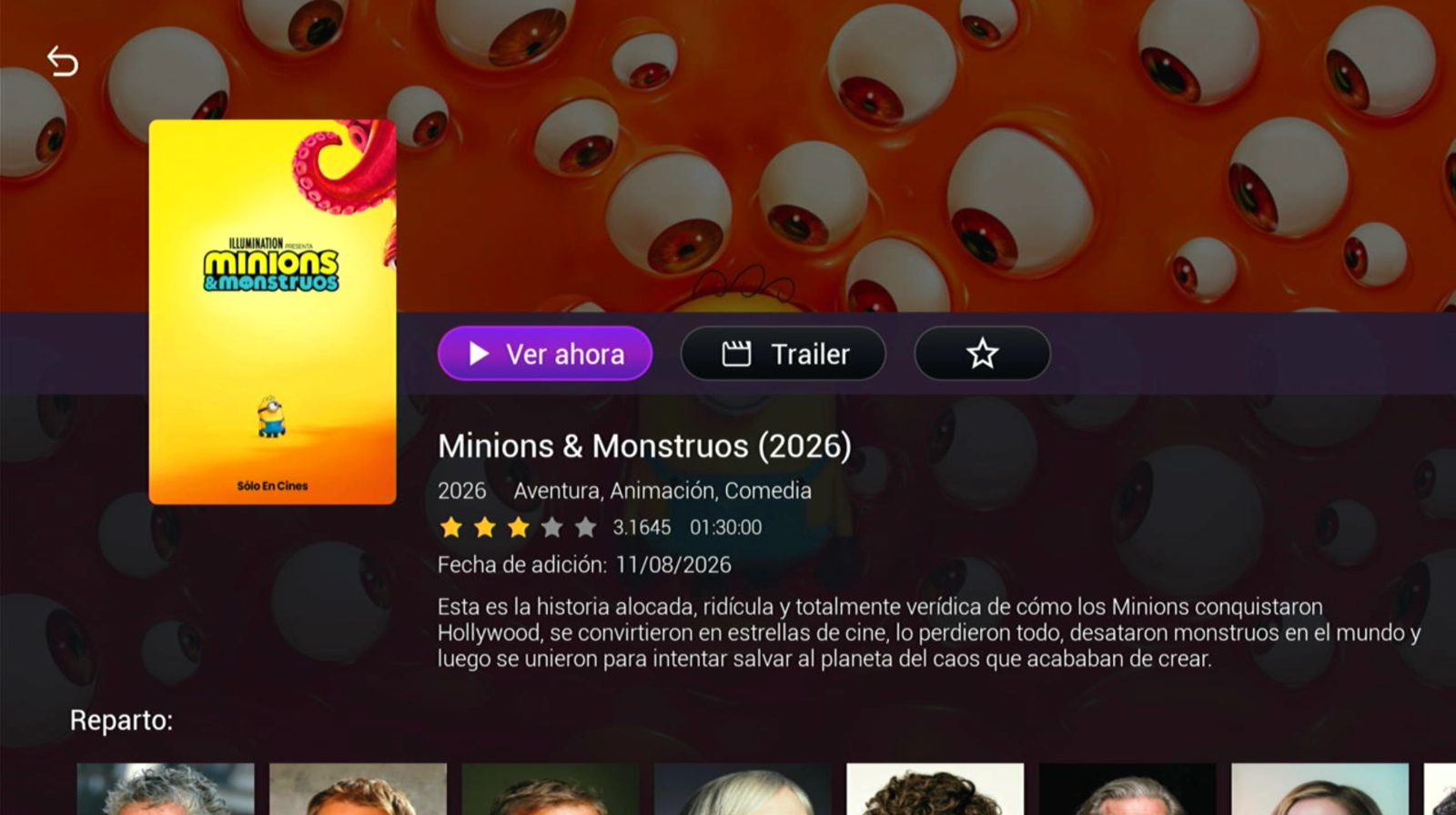
Poster, synopsis, genres, runtime, rating, date added and cast with photos. With a trailer button and favorites.
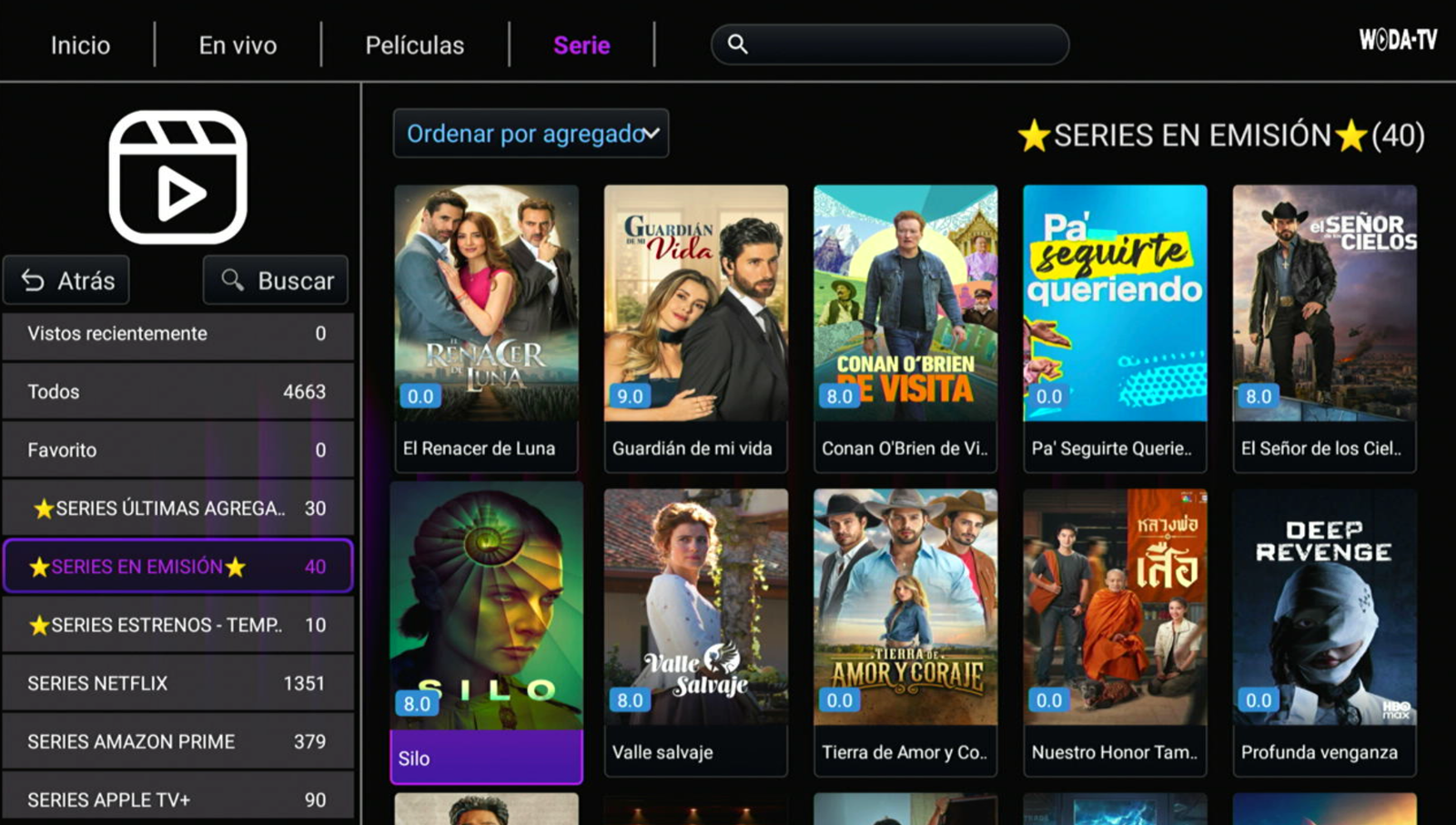
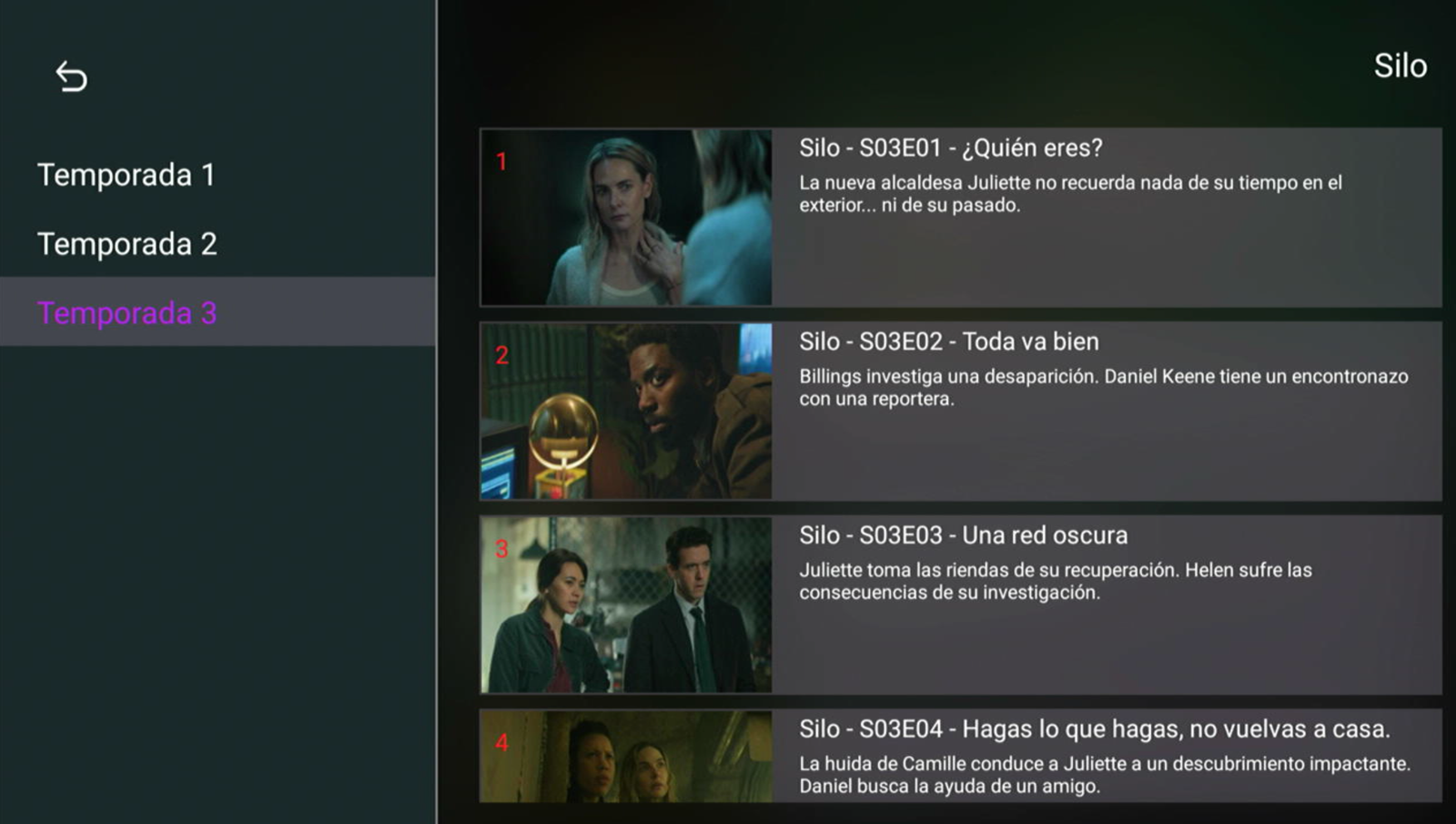
Seasons on the side and numbered episodes with their still and synopsis. You can see at a glance where the customer is.
A search bar at the top of Movies and Series, plus "Recently watched" and "Favorites" in the sidebar.
Playlist switching from the menu and up to 10 configurable DNS. Works with XUI and Xtream Codes panels.
Your name and your logo inside the app, and whichever of the six themes you choose. Prepared before we hand it over.
Real captures of the app running. No mockups.
A walkthrough of the app, with live TV in action.
What a screenshot does not show, but decides whether your customers stay.
The customer sees the days left right on their screen, so they renew before the service stops — without writing to you.
With the MAC there is nothing to dictate over the phone and nothing to type on a remote: human error disappears from the sign-up.
If one server goes down, the customer switches list from the menu and keeps watching, without signing in again.
Tell us how you work and we will tell you what you need to get it running with your panel and your logo.